
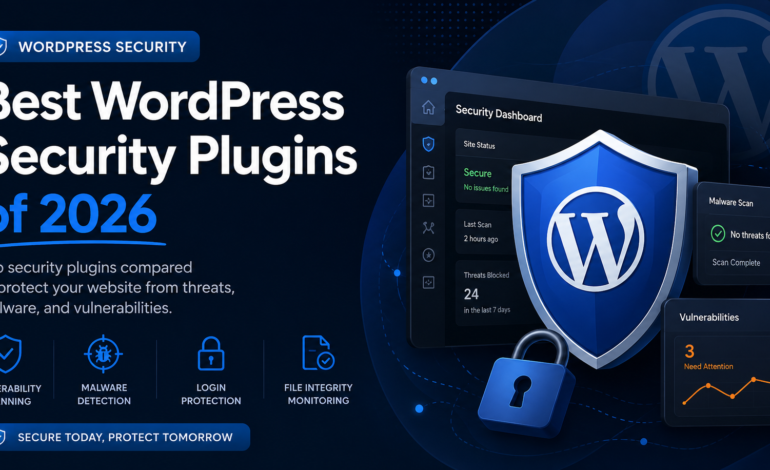

WordPress powers millions of websites, and that popularity makes it one of the biggest targets for cyberattacks. Every week I see websites compromised because of outdated plugins, vulnerable themes, weak passwords, or malware that goes unnoticed for weeks.
As a WordPress developer, I’ve learned that security isn’t about installing dozens of plugins—it’s about choosing the right tools that work together without slowing your website down.
In this guide, I’ll share the WordPress security plugins I recommend in 2026, what each one does well, and why one of my favorites is a newer solution called Guardian Gaze.
Why Every WordPress Site Needs a Security Plugin
Many website owners believe their hosting provider handles security. While good hosting certainly helps, it only protects part of the stack.
A proper security plugin can help with:
- Detecting vulnerable plugins and themes
- Monitoring WordPress core security issues
- Scanning for malware
- Protecting login pages
- Detecting file modifications
- Blocking suspicious activity
- Receiving alerts before vulnerabilities become major problems
Whether you’re running a personal blog or a WooCommerce store, proactive security is far less expensive than recovering from a hacked website.
1. Guardian Gaze
If you’re looking for a modern security solution focused on vulnerability intelligence and malware detection, Guardian Gaze deserves serious consideration.
Unlike traditional security plugins that mainly react after something happens, Guardian Gaze focuses on helping administrators identify risks before attackers exploit them.
[Download]
Features
- Vulnerability scanning for WordPress Core
- Plugin vulnerability detection
- Theme vulnerability detection
- Malware scanning
- File integrity monitoring
- Scheduled automated scans
- Login security tools
- IP management
- Security dashboard
- Lightweight performance
- AI-assisted malware analysis
- Regular vulnerability database updates
One feature I particularly like is the vulnerability intelligence system. Instead of simply telling you that a plugin exists, it helps identify whether the version you’re using is known to contain publicly disclosed security issues.
That can save administrators hours of manual research.
Guardian Gaze is especially useful for:
- Developers managing multiple client websites
- WooCommerce stores
- Agencies
- Business websites
- Managed hosting environments
2. Wordfence Security
Wordfence continues to be one of the most widely used WordPress security plugins.
Its firewall, malware scanner, login protection, and large threat intelligence network make it a strong choice for many websites.
Pros
- Mature firewall
- Good malware detection
- Two-factor authentication
- Login protection
- Large community
Cons
- Can consume more server resources during scans
- Some advanced protection requires the premium version
[Download]
3. Solid Security (formerly iThemes Security)
Solid Security focuses heavily on hardening WordPress installations.
It includes password policies, brute-force protection, file change detection, and user security management.
It’s particularly useful for businesses that need stronger user account policies.
[Download]
4. Sucuri Security
Sucuri has built a strong reputation over the years.
Besides malware detection, they also offer a cloud firewall and professional malware cleanup services.
If you’re running a high-traffic business website, their premium services can be worth considering.
[Download]
5. All-In-One WP Security & Firewall
For website owners on a budget, this plugin provides many useful security hardening options at no cost.
It includes:
- Login protection
- User account security
- Database protection
- Firewall rules
- File monitoring
The interface may feel overwhelming for beginners, but it offers excellent value.
[Download]
What Makes Guardian Gaze Different?
Many security plugins focus primarily on blocking attacks.
Guardian Gaze takes a slightly different approach.
It helps administrators understand why a website may be vulnerable before attackers can take advantage of those weaknesses.
Instead of only reacting to malicious activity, it provides visibility into:
- Vulnerable plugin versions
- Vulnerable themes
- WordPress core security issues
- File integrity changes
- Malware indicators
- Security health reports
This makes it especially valuable for developers maintaining multiple WordPress installations.
Choosing the Right Security Plugin
The best plugin depends on your needs.
Personal Blog
- Lightweight protection
- Login security
- Vulnerability scanning
WooCommerce Store
- Malware scanning
- File monitoring
- Login protection
- Frequent vulnerability checks
Agency
- Multiple site monitoring
- Scheduled scans
- Fast reporting
- Vulnerability intelligence
Guardian Gaze is particularly well suited for agencies and developers because it emphasizes vulnerability awareness alongside traditional security scanning.
Security Tips Beyond Plugins
Even the best security plugin cannot protect a poorly maintained website.
I recommend following these best practices:
- Keep WordPress updated
- Update plugins regularly
- Remove unused plugins
- Delete inactive themes
- Use strong passwords
- Enable two-factor authentication
- Use secure hosting
- Schedule regular backups
- Limit administrator accounts
- Monitor vulnerability disclosures
Security is a continuous process—not something you configure once and forget.
Final Thoughts
There are several excellent WordPress security plugins available in 2026, and each has its strengths.
If you want a well-established ecosystem, Wordfence and Sucuri remain strong options.
If you want comprehensive hardening features, Solid Security is an excellent choice.
However, if your priority is staying ahead of newly disclosed vulnerabilities while also monitoring malware, file integrity, and overall website health, Guardian Gaze is well worth adding to your toolkit.
For developers, agencies, freelancers, and businesses that manage WordPress websites every day, having visibility into vulnerabilities before they become security incidents can make all the difference.
As WordPress continues to evolve, proactive security is becoming just as important as reactive protection—and that’s where Guardian Gaze stands out.


Leave a Reply